Laptop connectivity
Add ports only after checking what the laptop USB-C port can do.
The Anker 553 can consolidate display, network, card, and USB connections for a laptop desk, but the host port and operating system determine what actually works.
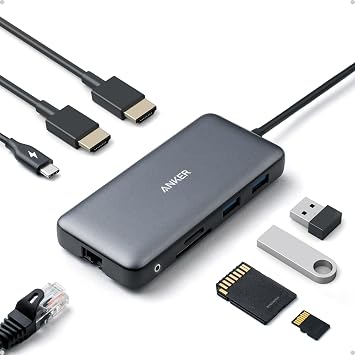
Anker 553 USB-C Hub (8-in-1)
Model A8380 / A83800A1 · Amazon ASIN B0874M3KW4
One hub adds two HDMI outputs, Gigabit Ethernet, USB data, SD and microSD readers, and pass-through charging to a compatible USB-C laptop setup.
It needs a separate USB-C charger for pass-through power, reserves some input power for itself, and external-display behavior varies by laptop and operating system.
Confirm the laptop USB-C port supports DisplayPort Alt Mode and charging, then check the exact display mode you need. Anker lists different single- and dual-display limits by host DisplayPort version and OS.
Anker lists one PD input up to 100W, up to 85W to the laptop, two HDMI outputs, 5Gbps USB data, 1Gbps Ethernet, and UHS-I SD and microSD slots.
Skip it if your USB-C port lacks video output, you need two independent extended displays on a Mac that only mirrors through this hub, or you need a full-power desktop dock with its own supply.